
How to Photograph and Track Home Defects
Simple evidence habits for homebuyers: framing, naming, severity, and tracking defects from walkthrough to builder follow-up.
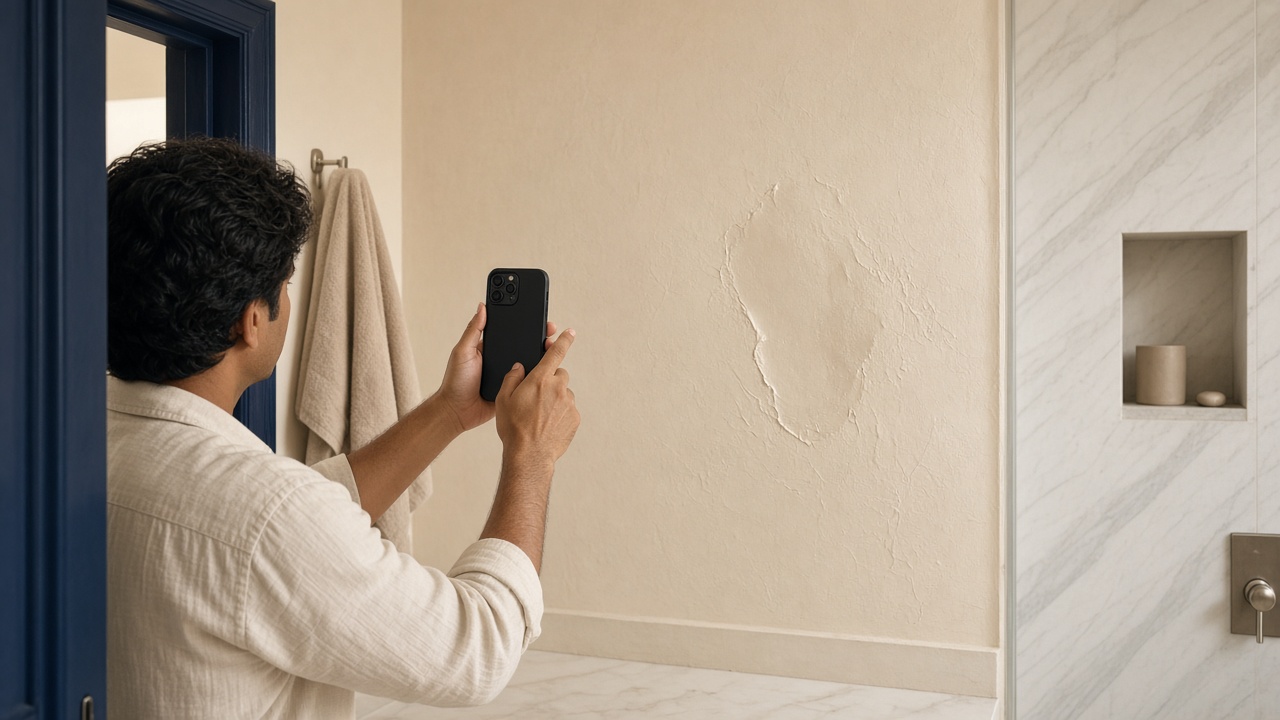
A defect you photographed but cannot find again is almost as useless as one you never saw. Good evidence habits turn a stressful walkthrough into a trackable list.
Framing that holds up later
For each issue, capture:
- Context — enough of the room to show where you are
- Detail — the crack, gap, stain, or misalignment
- Scale (optional) — a coin, tape, or known fixture for size
Keep the phone level. Avoid heavy filters. Natural light is usually enough; add a torch for dark corners rather than extreme exposure.
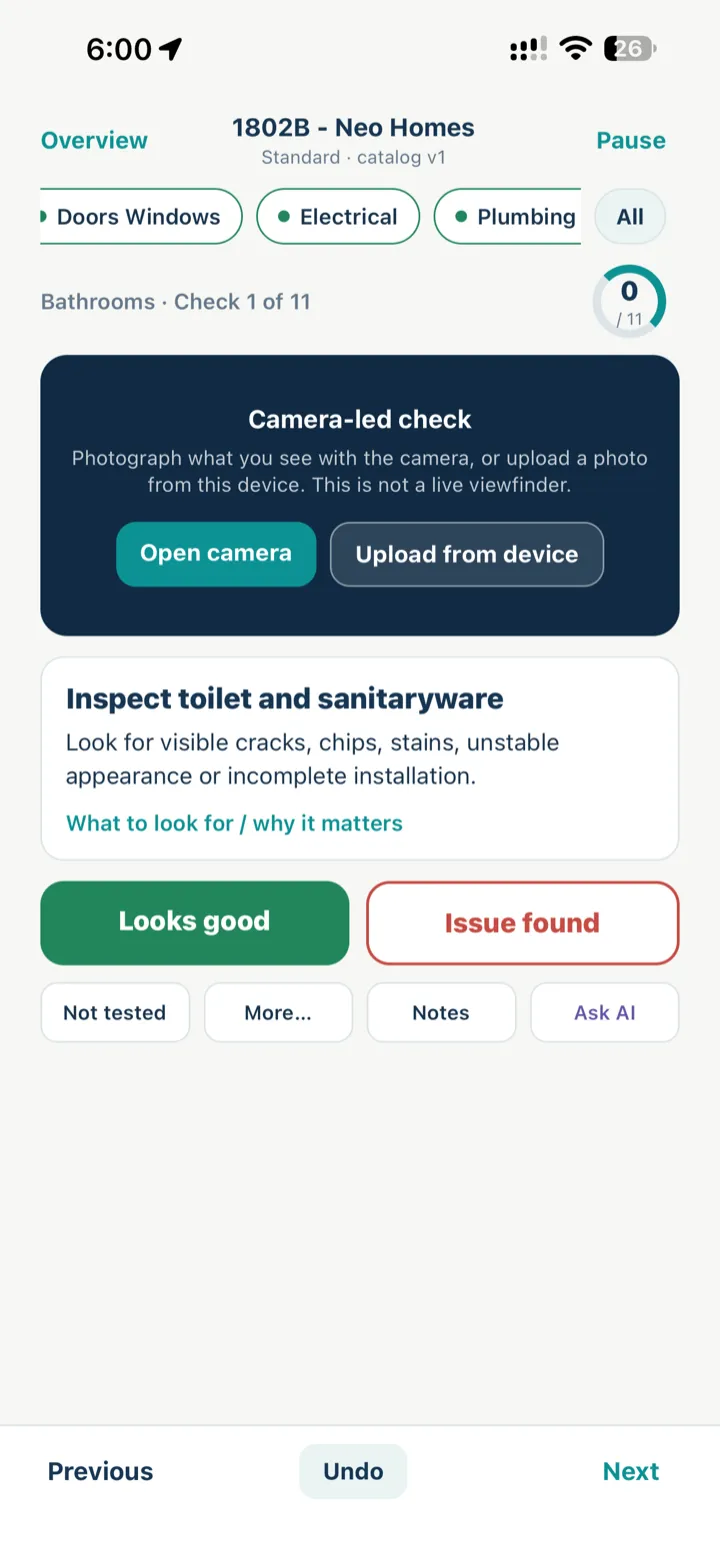
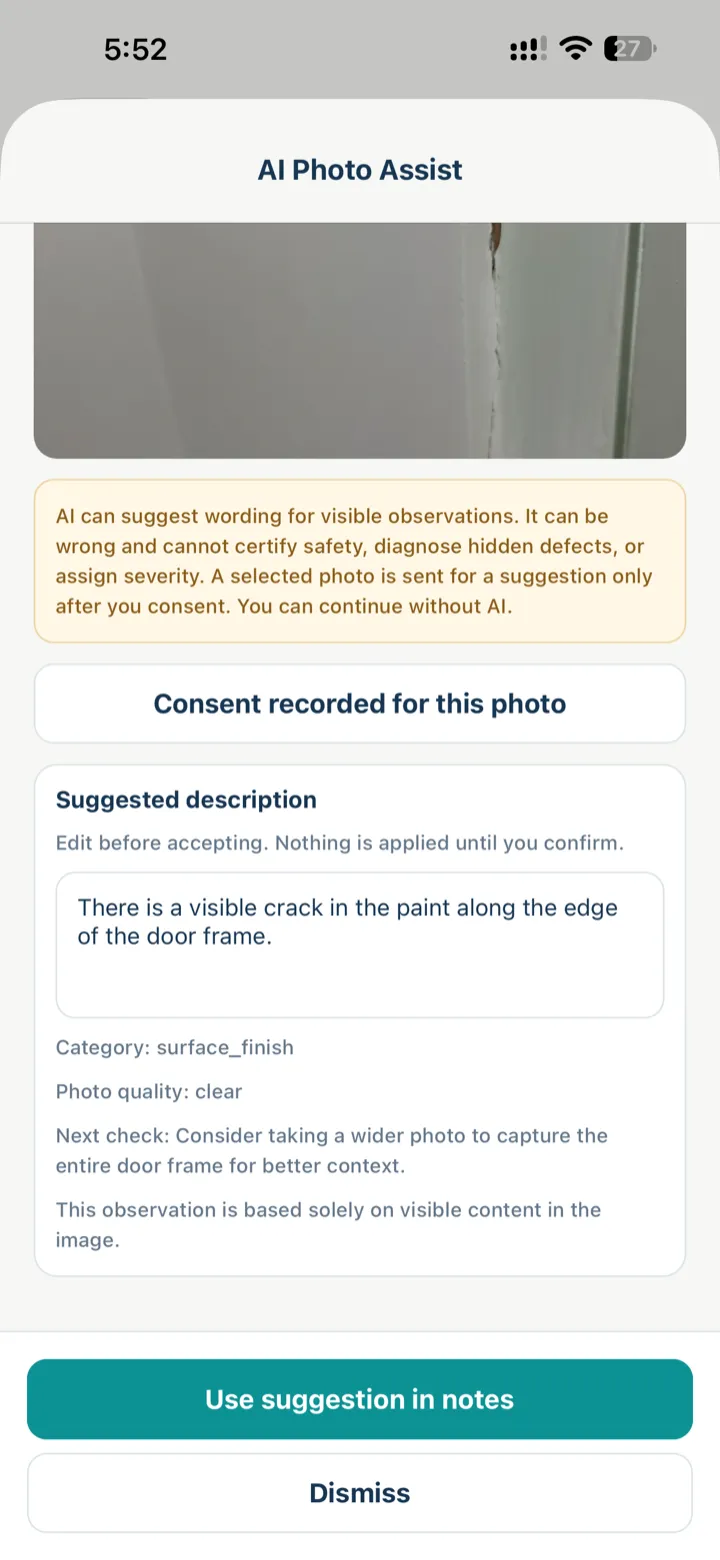
On iPhone, HandoverProof Checklist opens a camera-led check so the photo sits on the same item as your pass/issue decision. Optional AI Photo Assist can suggest wording after you consent — suggestions only, not a diagnosis.
Naming and notes
Invent a simple scheme and stick to it—or let checklist order number your items:
- Living room issue 1, bathroom issue 2…
- Or sequential numbers inside each category
In notes, write facts: location, what is visible, whether it was dry/wet, and the date. Skip speculation—stick to observations. If you accept an AI suggestion, edit it until it matches what you see.
Tracking status
A lightweight tracker needs only:
| Field | Example |
|---|---|
| Number | 3 (in Bathrooms) |
| Title | Grout gap at niche |
| Severity | Moderate |
| Evidence | Photos attached |
| Status | Open / Fixed / Recheck |
Privacy
Do not include Aadhaar, PAN, full agreement scans, or faces of workers/residents in evidence sets you share widely. Crop aggressively.
Closing the loop
When a builder marks an item fixed, re-check in person and update status with a new photo if needed. Closed should mean you confirmed it—not that a message said so.
Explore interactive checklists under Checklist. Deeper possession-day photo habits: Photo evidence on possession day.
Try it on your next walkthrough
Free on the App Store for iPhone — walk rooms, capture visible issues, leave with a clearer follow-up list. Prefer the browser? Guest checklist stays on this device with no website account. Android is coming soon.

AndroidComing soon