
AI Photo Assist on possession day: suggestions, not certificates
How HandoverProof Checklist’s AI Photo Assist helps describe visible defects after consent—what it can and cannot do on possession day.
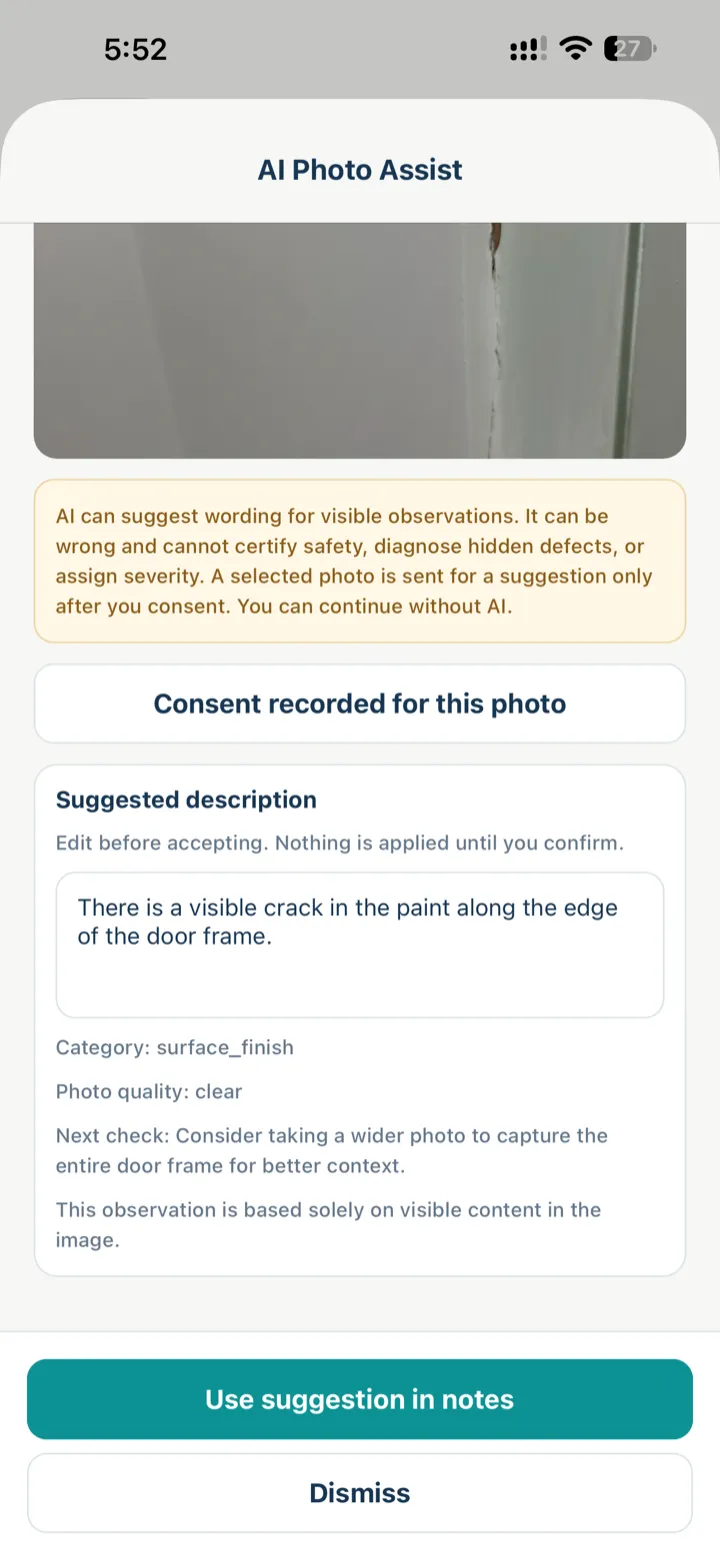
Typing notes while standing in a dusty flat is slow. AI Photo Assist in HandoverProof Checklist on the App Store can suggest wording from a photo you already took—after you consent for that image.
What it is for
Use it when you want a starting sentence for a visible observation: a crack, a gap, a stain, a misaligned fitting. You stay in control: edit, dismiss, or skip AI entirely.
What it is not
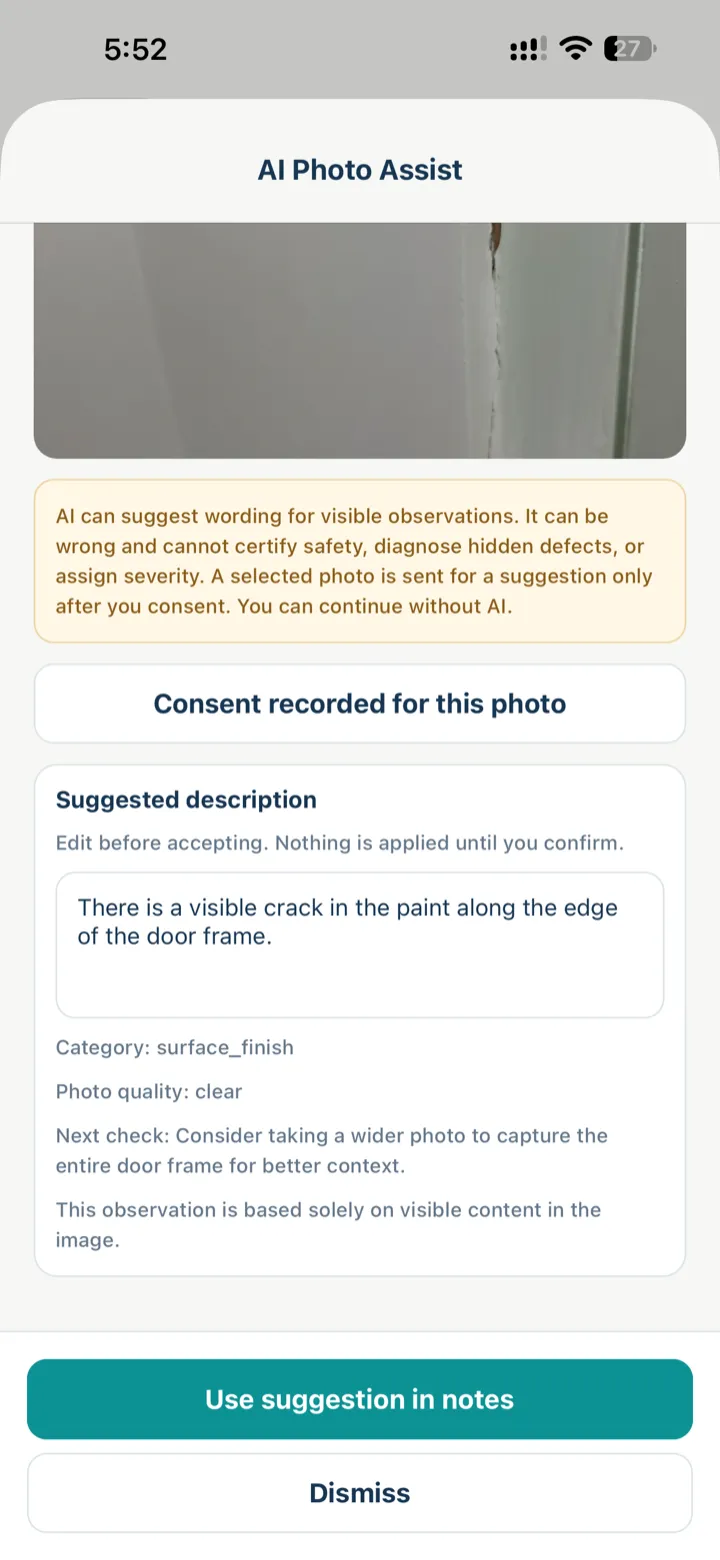
The in-app disclaimer is the product rule:
- AI can be wrong
- It cannot certify safety
- It cannot diagnose hidden defects
- It cannot assign severity for you
- A photo is sent for a suggestion only after consent
Treat the output as a draft caption, not a professional opinion.
Good possession-day habit
- Capture a clear detail photo (and a wider room shot when you can)
- Mark Issue found on the checklist item
- Open Ask AI / AI Photo Assist if you want help wording the note
- Consent only if you are comfortable sending that photo for a suggestion
- Edit the text until it matches what you see, then save
Pair this with the framing habits in Photo evidence on possession day and How to photograph and track home defects.
Browser vs iPhone
The guest browser checklist stays account-free and does not run this AI assist. AI Photo Assist is an iPhone app feature. Android is coming soon.
Honest close
Possession walkthroughs document visible conditions. AI does not change that scope. Keep severity and follow-up decisions yours—then share a clear snag list with the builder using Snag list for builders.
Try it on your next walkthrough
Free on the App Store for iPhone — walk rooms, capture visible issues, leave with a clearer follow-up list. Prefer the browser? Guest checklist stays on this device with no website account. Android is coming soon.

AndroidComing soon